Photo Tip Of the Week (PTOW) – A Lightroom Adjustment Brush “aha” moment
Quick links:
PHOTO TIP TUESDAY: The OPTION key in Lightroom
I have been talking to alot of friends these days about Lightroom and how great I think it is (no I do not get any kickbacks nor do I have stock in Adobe…I’m not even sure if you can buy stock in adobe… =)
So I thought I would start sharing a tip a week about photography in general with some extra focus on Lightroom.
Many times, I find that I need to bright the shadows on one side of someone’s face, without affecting the brighter side. For that, I often use the adjustment brush in the Develop Module. Well, while doing that, I sometimes accidentally brush over their nose or other area which is already too overexposed. I realized the other day, that instead of having to move my mouse all the way over to the side panel and click on eraser, erase, then click back on the brush, I can just hold down the option key, and imediately have the eraser to use! Hence my “AHA” moment!
So, this week’s tip: press the OPTION key while using the adjustment brush to quickly toggle between the brush and the eraser.
It will likely save you tons of time!
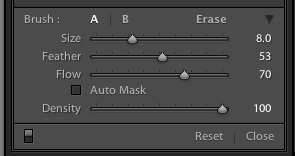
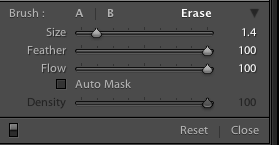
And while you are at it, click on the option key when you are doing just about anything in LR and see what other cool things it allows you to do!
Hope that helps!
SWEET SHOT TUESDAY:
We have been enjoying some abnormally warm weather the last couple of days, and I have been having fun experimenting with my camera
‘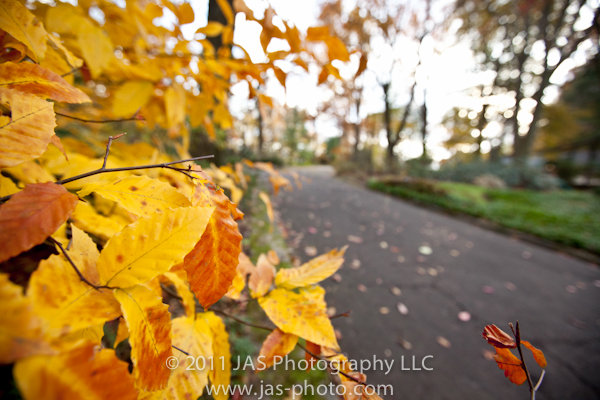
This is a simple pic I took from our driveway, playing around with bokeh on my wide angle lens. Wide angle lenses on full format cameras are GREAT – the warping is so much fun!

 ClayArtists.org Blog
Wow…what a neat view! Love it♥